

A kiosk has to do everything a shop does in about two square feet, usually with one staff member and an owner who isn't there. A kiosk POS should therefore be small, locked down, and visible remotely.
Key takeaways
- One tablet on a locking stand plus a compact printer is the whole footprint.
- Use kiosk mode so the device can't leave the POS app.
- Per-user logins and void/discount reports give accountability when you're off-site.
- Cloud POS means you can watch sales from your phone in real time.
- Multiple kiosks run under one account with shared catalogue and stock transfers.
Designing for two square feet
Every centimetre counts on a kiosk counter:
| Component | Kiosk approach |
|---|---|
| Register | One tablet, vertical stand |
| Printer | Compact thermal, mounted under counter |
| Payment | Integrated terminal, customer-facing |
| Cash | Small locking drawer, or card-only |
| Stock | Under-counter storage; count weekly |
Card-only is increasingly viable for kiosks and removes the cash-handling risk entirely — worth considering if your product and customers suit it.
Lock the device down
An unattended tablet on a public counter needs protection:
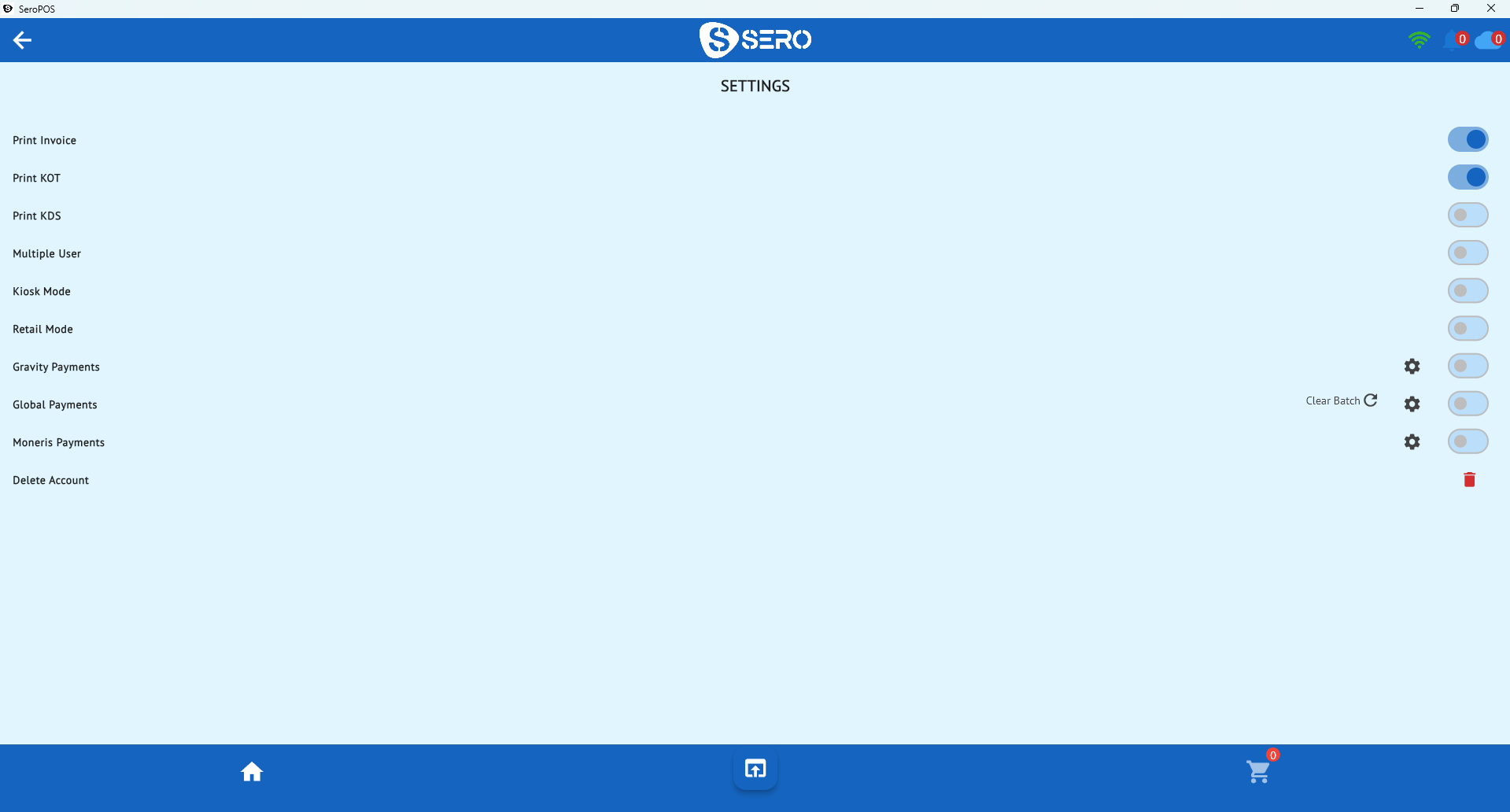
- Kiosk/screen-pinning mode so the app can't be exited
- Locking stand physically secured to the counter
- Device passcode and disabled app installs
- Per-user POS logins — staff sign into the app, not the tablet
Managing what you can't watch
The owner of a kiosk is usually somewhere else. Cloud POS closes that gap:
- Live sales on your phone — check the day's total from anywhere
- Void and discount reporting — patterns that deserve a question
- Shift and attendance tracking — who worked, when
- Role-based permissions — staff sell; only you refund or edit products
That combination is what makes a single-staff kiosk manageable without hovering.
Running several kiosks
Kiosk businesses tend to multiply — a second mall, a seasonal pop-up, an airport counter. Run them under one account with:
- Shared product catalogue so pricing is consistent
- Per-location reporting to compare sites fairly
- Stock transfers when one kiosk runs dry and another has surplus
The comparison metrics and pitfalls are covered in managing multiple locations.
Inventory in a small space
You can't hold much stock at a kiosk, which makes accuracy and replenishment cadence critical:
- Count weekly — it takes minutes at kiosk scale
- Set tight par levels and restock from a central store
- Watch slow movers ruthlessly; shelf space is your scarcest asset
- Barcode everything so counts are fast (barcode guide)
Seasonal kiosks
If your kiosk is seasonal (holiday markets, summer locations), a monthly no-contract subscription matters — you shouldn't pay for a POS in the months you're closed. SeroPOS bills monthly with no term, so you can pause and resume as your season dictates.
Download SeroPOS and set up your kiosk during the 14-day free trial — no credit card required.